You’re twenty minutes deep into a really productive meeting. Ideas are flowing. Everyone is actually engaged. And then — that little notification pops up in the corner.
“Your meeting will end in 5 minutes.”
Your heart sinks a little. Not because the call is ending, but because you’re nowhere near done.
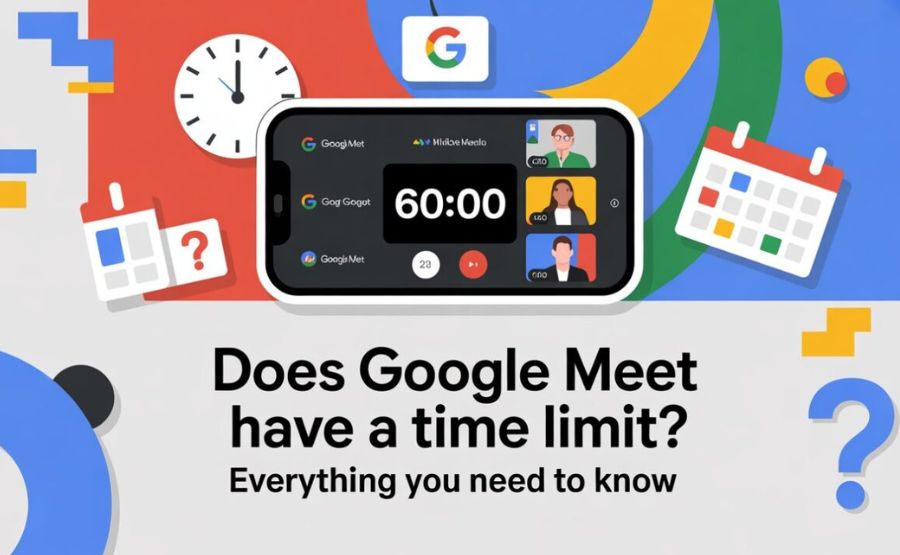
If that’s happened to you, welcome to one of the most searched questions in video conferencing: does Google Meet actually have a time limit, and what can you do about it?
The honest answer is yes — but it’s more layered than a simple yes or no. Let’s walk through the whole picture together.
Quick Reference
| Plan | Group Meeting Limit | One-on-One Limit | Max Participants | Recording | Price |
| Free (Gmail) | 60 minutes | 24 hours | 100 | No | Free |
| Business Starter | 24 hours | 24 hours | 100 | No | ~$7/user/month |
| Business Standard | 24 hours | 24 hours | 150 | Yes | ~$14/user/month |
| Business Plus | 24 hours | 24 hours | 500 | Yes | ~$22/user/month |
| Enterprise | 24 hours | 24 hours | 1,000 | Yes | Custom pricing |
The Simple Truth About the Free Plan
If you’re using a regular Gmail account — the free kind that anyone can sign up for — Google Meet gives you two very different experiences depending on who’s in the call.
Just you and one other person? You have a 24-hour window to speak. That’s basically unlimited for any realistic conversation.
But the moment a third person joins, everything changes. The meeting now has a hard 60-minute limit. When that clock hits zero, Google ends the call automatically. Everyone gets disconnected. The conversation stops whether you’re finished or not.
That’s the single most important thing to understand about Google Meet’s free plan. The two-person exception is real and generous. The group limit is strict and enforced without exceptions.
See also “What DOD Instruction Implements the DOD Cui Program? The Full Answer Explained“
What Happens When the 60 Minutes Run Out?
Assume you have four individuals on the call, you are using a free account, and you have been conversing for some time. Here’s exactly what happens as the time ticks down.
At the 50-minute mark, Google sends the first warning. A small notification appears telling everyone that ten minutes remain. Most people panic a little here.
At the 55-minute mark, another alert fires. Five minutes left. Usually, at this point, someone says, “Okay, let’s try to wrap up the main points.”
At 60 minutes on the dot, the meeting ends. Not gradually. Not with a grace period. It just stops.
Here’s the thing though — the meeting link doesn’t expire. Everyone can click the exact same link and rejoin immediately. You get another full 60 minutes. It adds about 30 seconds of awkward scrambling, but the conversation can continue.
Most people don’t realize this workaround exists. Now you do.
Why Does Google Do This?
It’s a fair question. Google Meet is already free. Why not just make unlimited time free too?
Three reasons, really.
First, server costs. Every video call eats up significant computing power. Millions of people running unlimited group calls for free would cost Google an enormous amount.
Second, business model. Google wants teams and companies to upgrade to paid Workspace plans. The time limit creates a natural push in that direction.
Third — and this one is actually interesting — the limit accidentally creates better meeting habits. Several workplace productivity researchers have pointed out that the 60-minute ceiling forces people to keep meetings focused. When you know you’ve only got an hour, you use it differently than when time is infinite. Agendas get followed. People don’t ramble. Decisions actually get made.
Once teams upgrade and remove the limit, they sometimes notice meetings getting longer and less productive. The constraint had been doing something useful.
The Free Plan: What Else You’re Working With
The time limit gets all the attention, but it’s not the only thing to know about the free version.
You can have up to 100 people in a meeting. That’s actually quite generous compared to other free tools.
You get screen sharing, real-time captions, and integration with Google Calendar built in. Those are solid features for free.
What you don’t receive recording, polling, breakaway rooms, noise cancellation, and attendance monitoring Any of the AI-powered bonuses or Q&A features Google has been making changes.
No recording is the one that catches most people by surprise. If you need to save a meeting — for training, for reference, for people who couldn’t attend — the free plan offers no built-in way to do that.
What Each Paid Plan Actually Gives You
If 60 minutes isn’t cutting it and you’re thinking about upgrading, here’s what actually changes at each level.
Business Starter (~$7/user/month)
This is the entry point into paid Google Workspace. The 60-minute cap disappears immediately. Your meetings can now run for up to 24 hours. Participant cap stays at 100. You still don’t get recording at this level, but everything else opens up — noise cancellation, dial-in phone numbers for joining meetings, and Gemini AI assistance in Gmail.
For small teams or solo professionals who just need longer meetings without all the extras, this plan is often enough.
Business Standard (~$14/user/month)
This is where recording shows up. Meetings get saved automatically to Google Drive. Additionally, you get Q&A features, polling during calls, breakout rooms, and a 150 participant cap. This is the ideal time for most expanding teams.
Business Plus (~$22/user/month)
Participant limit climbs to 500. You get attendance tracking — so you can see who actually showed up and for how long. Enhanced security controls come in here too. This tier suits larger organizations that need compliance and accountability features.
Enterprise (custom pricing)
Participant capacity reaches 1,000 people in a single call. You can live-stream to up to 100,000 viewers within your organization’s domain. Advanced security, data loss prevention, and eDiscovery tools are all included. Pricing gets negotiated directly with Google’s sales team.
Nonprofits and Schools Get a Better Deal
Here’s something most people don’t know.
Google offers free and deeply discounted Workspace plans to nonprofits and educational institutions.
Registered nonprofits who qualify through Google for Nonprofits can access Business Standard features — including 150-participant meetings and recording — at no cost. The catch is that you have to apply and be verified.
Schools using Google Workspace for Education get their own tier. Google Workspace for Education Fundamentals is free and includes Meet with longer time limits than the regular free plan.
If your organization qualifies, these programs are worth looking into seriously before paying standard pricing.
Google Meet vs. Zoom vs. Microsoft Teams: Who Wins on Time?
It’s natural to wonder how Google stacks up against its main competitors on this specific issue.
Zoom’s free plan is actually stricter. Groups of three or more are limited to 40 minutes — not 60. So Google Meet gives you 50% more free group time than Zoom does. That’s a meaningful difference if you’re choosing between the two for free use.
Microsoft Teams free plan matches Google Meet — 60 minutes for group calls. They’re identical on this specific point.
For paid plans, all three platforms essentially remove the practical time limit. All offer 24 hours or more per meeting when you’re paying. At that point, the decision stops being about meeting duration and becomes about which features and which ecosystem work better for your team.
Practical Workarounds When You’re Stuck on the Free Plan
Not everyone can or wants to pay for a subscription. Here are real options for extending your time without spending money.
Rejoin with the same link. This is the most underrated trick. When the 60 minutes end, everyone just clicks the same meeting link again. New session, another full hour. It takes 30 seconds and costs nothing.
Switch to a one-on-one format. If you only actually need to speak with one specific person, start a private call between just the two of you. No time limit applies. You have a 24-hour window to speak.
Use Jitsi Meet. This is a completely free, open-source video calling platform with no time limits, no account required, and no participant cap. It lacks the polish and integrations of Google Meet, but if pure unlimited time is the only goal, Jitsi solves the problem immediately.
Schedule a series of calls. For ongoing projects or regular long sessions, booking multiple 60-minute back-to-back slots isn’t elegant, but it works. Build in a 5-minute buffer between sessions for the brief reconnection.
Enable notifications in advance. The 50 and 55-minute warnings help, but only if you’re watching for them. Make sure everyone on the call knows when the limit is approaching so you can prioritize what needs to get done.
When It Makes Sense to Just Pay
There’s a point where the workarounds stop being worth it.
If your team runs meetings that regularly exceed an hour, you’re spending mental energy managing time instead of managing your actual work. The upgrade to Business Starter removes that friction entirely for about the cost of one lunch.
If you need to record meetings for training, client records, or team members in different time zones, the free plan simply can’t help you. Business Standard is the entry point for recording.
If you’re running events or training sessions with more than 100 people, the free plan physically prevents the full group from joining. That’s not a workaround problem — it’s a capacity problem that only a paid plan solves.
For casual use, occasional calls, and small personal teams, the free plan is genuinely fine. Just plan your meetings around the 60-minute window, use the rejoin trick when needed, and you’ll rarely feel stuck.
Final Words
Google Meet’s time limit isn’t a bug. It’s a deliberate design choice.
For free users, the 60-minute group call ceiling is real and enforced. But it’s also very workable once you understand the rejoin trick, the one-on-one exception, and the alternatives available.
For teams who regularly need more — whether that’s longer meetings, recordings, bigger groups, or better security — the paid plans are genuinely priced fairly compared to competitors.
Knowing the limit exists means you stop being surprised by it. Plan your meetings with intention, use your hour well, and you’ll find that 60 minutes is often more than enough anyway.
FAQs
1. Is there a time limit for Google Meet?
Yes. On the free plan, group meetings with three or more people are limited to 60 minutes. One-on-one calls between two people can run up to 24 hours. All paid Google Workspace plans extend group meetings to 24 hours.
2. What happens when Google Meet’s 60-minute limit is reached?
The meeting ends automatically. All participants are disconnected. A warning notification appears at the 50-minute mark and again at 55 minutes to give people time to wrap up.
3. Can I continue a Google Meet call after the 60 minutes expire?
Yes. When the time limit hits, everyone can click the exact same meeting link and rejoin for another full 60 minutes. The link does not expire. This workaround takes roughly 30 seconds and is free.
4. Is there a time limit for one-on-one Google Meet calls on the free plan?
No. When only two people are on the call, there is no 60-minute limit. One-on-one calls on the free plan can last up to 24 hours.
5. What paid plan does not have a 60-minute time limit?
Every paid Google Workspace plan removes the limit. Business Starter (around $7/user/month) is the lowest-cost option and extends all group meetings to 24 hours.
6. Does Google Meet have a time limit for Business Standard users?
No. On Business Standard (around $14/user/month), meetings can run up to 24 hours and support up to 150 participants. Recording is also included at this level.
7. How does Google Meet’s time limit compare to Zoom’s?
Google Meet’s free plan allows 60 minutes for group calls. Zoom’s free plan caps group calls at 40 minutes — 20 minutes less. Microsoft Teams’ free plan also allows 60 minutes, putting it on par with Google Meet.
8. Can I record a Google Meet on the free plan?
No. Recording is not available on the free Google Meet plan. Built-in recording is available starting from the Business Standard plan, with recordings saved directly to Google Drive.
9. How many people can join a free Google Meet?
Up to 100 participants can join a free Google Meet. Paid plans raise this to 150 (Business Standard), 500 (Business Plus), and up to 1,000 (Enterprise).
10. Are there free alternatives to Google Meet with no time limit?
Yes. Jitsi Meet is a free, open-source video calling platform with no time limit, no account required, and no participant cap. It lacks Google Meet’s integrations and polish but works well for unlimited-length calls.
11. Do schools and nonprofits get longer Google Meet time limits for free?
Yes. Google offers free and discounted Workspace plans for eligible educational institutions and registered nonprofits. These plans include longer meeting durations and more features than the standard free Gmail plan.
12. Does the Google Meet free plan limit the number of meetings per day?
No. There is no daily cap on the number of meetings you can host. The 60-minute restriction applies to the duration of each group meeting, not to how many meetings you run.
13. What notification does Google Meet send before the time limit ends?
Google Meet sends a warning notification at approximately 50 minutes and again at 55 minutes, alerting all participants that the meeting will end soon and recommending they finish their discussions.
14. Is the 24-hour limit on paid plans actually enforced?
Yes, technically there is a 24-hour maximum even on paid plans. In practice, no meeting realistically hits 24 hours. For all practical purposes, paid plans give you unlimited meeting time.
15. Can a host extend a free Google Meet beyond 60 minutes without upgrading?
Not from within the platform — there is no “extend” button for free users. The only options are to rejoin with the same link for another 60-minute session, switch to a one-on-one format if only two people are needed, or upgrade to a paid plan.
Explore more, learn more, and think deeper with Theory Magazine.