Every business owner who’s ever wondered “why is my competitor getting more traffic than me?” has eventually stumbled onto Ahrefs — and the traffic checker inside it is usually the first thing that makes their jaw drop.
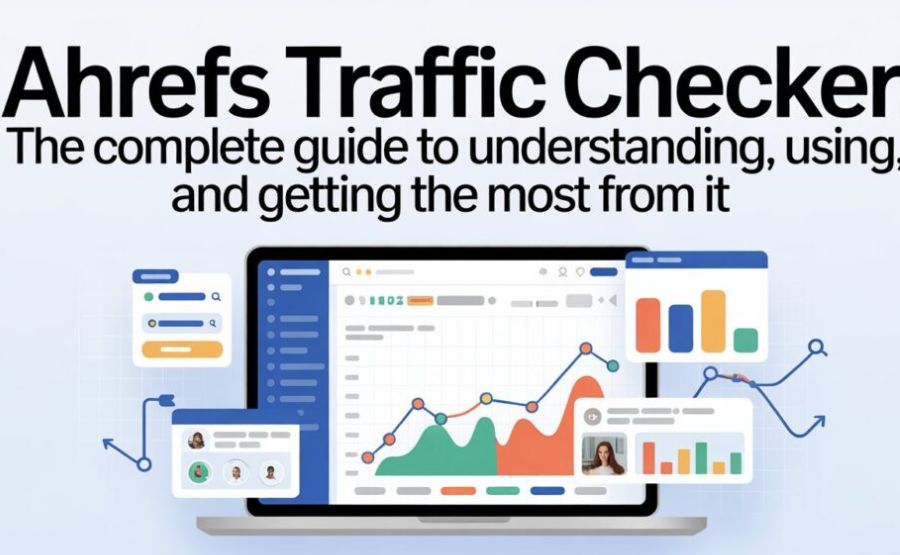
You type in any website address. Within seconds, you’re looking at how much traffic it gets, which pages get the most visits, which keywords send people there, and which countries those visitors come from. That’s powerful information. And once you’ve seen it, you can’t unsee it.
Let me walk you through everything — what the tool does, how it works, what the numbers mean, what it costs, and whether it’s actually worth it for you.
Quick Facts
| Feature | Details |
| Tool name | Ahrefs Traffic Checker / Ahrefs Site Explorer |
| Company | Ahrefs Pte. Ltd. |
| Founded | 2010 (originally as a backlink analysis tool) |
| Headquarters | Singapore |
| Primary use | Estimate website traffic, analyze competitors, research keywords |
| Data sources | Crawled search results + clickstream data + keyword ranking positions |
| Backlink database size | 43 trillion links (as of 2025–2026) |
| Free version available? | Yes — Ahrefs Webmaster Tools (for your own verified site) |
| Starter plan price | $29/month (limited credits) |
| Lite plan price | $129/month |
| Standard plan price | $249/month |
| Traffic accuracy | ~22.5% average discrepancy vs Google Search Console |
| G2 user rating | 4.6/5 stars — 77% give it 5 stars |
| Competitors | Semrush, Moz, SE Ranking, Neil Patel’s Ubersuggest |
What Is the Ahrefs Traffic Checker, Exactly?
Think of it like a radar gun. A regular radar gun measures how fast a car is going. The Ahrefs Traffic Checker measures how much web traffic a site is pulling in.
You type a URL into the tool. The tool looks at where that site ranks in Google for thousands of different search terms. Then it calculates — based on those rankings and how many people typically click on results in those positions — roughly how many visitors per month that site is getting.
It doesn’t have magic access to someone else’s Google Analytics. No tool does. Instead, it builds an estimate from real data — keyword rankings, clickstream signals, and search volume numbers — and gives you a very educated guess.
That guess turns out to be surprisingly accurate most of the time.
See also “Can You Use a Vanilla Gift Card on Amazon? The Honest, Complete Answer“
Where Does This Data Come From?
This is the question most people never think to ask — and the answer is really interesting.
Ahrefs built one of the biggest web crawlers in the world. It constantly scans billions of web pages. It checks which pages rank where in Google for which keywords. It monitors the evolution of those rankings over time.
On top of that, Ahrefs also uses clickstream data. Clickstream data comes from tracking how real people actually move around the internet — which links they click, which pages they land on, how long they stay. When you aggregate that behavior across millions of users, patterns emerge that help estimate what traffic really looks like at a given site.
Combine the ranking data with the clickstream signals, and you get a traffic estimate that’s much more accurate than simply looking at rankings alone.
How Accurate Is It, Really?
Let me give you a completely honest answer here, because most guides skip this part.
It’s not perfect. No third-party traffic estimation tool is.
A study by AuthorityHacker compared Ahrefs traffic estimates directly against Google Search Console data — the actual verified traffic numbers — across multiple websites. The average difference came out to about 22.5%. That means if a site is actually getting 100,000 visits a month, Ahrefs might estimate 77,500 or 122,500.
That sounds like a big margin. And for some sites, it genuinely is off by more. Practical eCommerce tested the tool on their own site and found estimates roughly 50% below actual traffic. Smaller sites and sites in niche categories tend to show bigger gaps.
But here’s the thing — the ranking correlation between Ahrefs data and real data was 0.99. That means even when the exact numbers are off, the pattern holds. If Ahrefs says Site A gets more traffic than Site B, it’s almost always correct. The direction is right even when the absolute number isn’t perfect.
That degree of dependability is actually helpful for trend analysis, competitive research, and strategic decision-making. For precise reporting to clients or stakeholders, always pair Ahrefs with the actual site’s real analytics data.
The Main Features You’ll Actually Use
Ahrefs isn’t just one tool. It’s a whole suite of things working together. Let me break down the parts that connect specifically to traffic research.
Site Explorer
This is where you’ll spend most of your time. Enter any domain or URL and you immediately see an overview: estimated monthly organic traffic, how many keywords the site ranks for, Domain Rating (a 0–100 score measuring how strong the site’s backlink profile is), and how all these metrics have changed over time.
The historical view is powerful. You can scroll back months or years and see exactly when a site’s traffic spiked or crashed. Usually that correlates with Google algorithm updates, major content changes, or competitor moves.
Organic Traffic Report
Inside Site Explorer, the organic traffic section breaks down exactly which keywords are sending visitors to any page or site. You can see the keyword, its position in Google, how many people search for it each month, and how much of that search volume converts to actual clicks to the site.
Top Pages Report
This one is gold for content research. It shows you every page on a given site ranked by how much traffic it receives. You can see which articles, product pages, or landing pages drive the most visitors. If a competitor has a page that pulls 50,000 visitors a month, you want to know what it’s about and why Google loves it.
Traffic Value
Here’s a clever metric Ahrefs created. It estimates how much it would cost to buy the same traffic through Google Ads (pay-per-click advertising) that a site receives for free from organic search. If a site gets organic traffic “worth” $200,000 per month in PPC value, that tells you something about the commercial importance of the keywords it ranks for.
Geographic Breakdown
Every traffic report can be filtered by country. If 60% of a competitor’s traffic comes from the United States but you’re targeting the UK, that context changes how you interpret their strategy.
Paid Traffic Analysis
Beyond organic, you can also see what paid search campaigns a site runs — which keywords they’re bidding on in Google Ads, estimated ad spend, and what landing pages those ads point to.
How to Use It Step by Step
Let me walk you through an actual research session the way a real SEO professional would.
Step One — Start with your own site.
Know where you stand before looking at your rivals.Type your own domain into Site Explorer. Check your organic traffic estimate. Examine the pages with the highest traffic. Note which keywords you rank for and what positions you hold.
Step Two — Type in a competitor’s domain.
Pick one competitor you respect — someone in your space who seems to be doing well. Enter their domain. Compare their traffic estimate to yours. Is there a big gap? Is it growing or shrinking over time?
Step Three — Open the Top Pages report.
Look at their highest-traffic pages. What subjects do they cover that you don’t? What formats are working — long guides, product comparisons, tool lists, tutorials? This is where real content ideas come from.
Step Four — Run a Content Gap analysis.
Ahrefs has a feature called Content Gap. You enter your domain plus up to ten competitor domains. The tool shows you every keyword those competitors rank for that you currently don’t. That list is your roadmap.
Step Five — Check the keyword opportunities.
For any keyword your competitor ranks for that you don’t, check the search volume and keyword difficulty. Low difficulty, decent volume, commercial intent — that’s where you start writing.
Step Six — Track changes monthly.
Come back regularly. Traffic changes. Rankings shift. New competitor pages appear. The job isn’t a one-time research sprint. It’s an ongoing practice.
The Free Version vs Paid Plans
Here’s the honest breakdown, because people always ask about this.
Ahrefs Webmaster Tools — completely free, but only for your own verified website. You connect your site, verify you own it, and get access to a limited version of Site Explorer and Site Audit for that site only. You can see traffic estimates, top keywords, and technical issues. You cannot look at competitor sites with this free version.
Starter Plan ($29/month) — the cheapest entry point into full Ahrefs access. You can look at any site, not just your own. But there’s a catch — it’s credit-based. You get 100 credits per month, and each time you run a new report or apply a filter, it costs a credit. Heavy users can burn through 100 credits in a couple of hours. It also only shows one month of historical data. Good for light research. Frustrating if you need depth.
Lite Plan ($129/month) — six months of historical data, more generous access. Good for solo SEOs or small business owners who do regular monthly research.
Standard Plan ($249/month) — two years of history, more projects, more keyword tracking. The realistic option for most professional SEOs and content marketers.
Advanced Plan ($449/month) — appropriate for larger teams with multiple clients.
Enterprise Plan ($1,499/month) — for agencies and large in-house teams. Includes 100 projects, unlimited history, unlimited credits, and 10,000 tracked keywords.
Annual billing saves about 16–17% across plans. There’s no free trial in the traditional sense — Ahrefs discontinued their paid trial. The Webmaster Tools free option is the closest thing to a trial if you’re checking your own site.
What Ahrefs is Best At (And Where It Falls Short)
Let me be honest about both sides.
Where it genuinely shines:
The backlink analysis is the best in the business. The database of 43 trillion links, updated constantly, means you can trust the backlink picture Ahrefs paints. Competitor analysis in Site Explorer is deep and actionable. The Top Pages report and Content Gap feature save hours of manual research. Keywords Explorer covers not just Google but YouTube, Amazon, Bing, and several others.
Where it’s weaker:
The traffic estimates can be materially off for smaller or niche sites. If you’re researching a site that gets under 10,000 visits a month, the estimated reliability drops noticeably. The pricing is genuinely steep — the April 2024 price increases pushed many smaller users away. The credit system on lower plans limits how deeply you can research without burning through your monthly budget. And Semrush has better paid traffic data for some use cases.
Ahrefs vs Semrush for Traffic Research
The two giants of the SEO tool world are constantly being compared, and the traffic checker is usually part of that conversation.
Semrush draws from a larger panel of direct traffic data sources and arguably produces more accurate absolute traffic numbers for many sites. Ahrefs tends to edge it out on backlink data quality and the depth of organic keyword analysis.
On price, they’re similar. Semrush’s Pro plan runs about $117/month when billed annually, while Ahrefs Lite runs about $108/month on the same billing cycle. Neither is cheap.
For pure traffic estimation accuracy, some independent tests lean toward Semrush. For backlink research and competitor content analysis, Ahrefs is generally considered stronger. Many serious SEO professionals use both simultaneously.
Who Should Actually Use This Tool
Let me cut through the marketing language and give you a straight answer.
If you’re running a blog, an e-commerce store, a service business website, or an agency managing client SEO — and you’re doing that work seriously — Ahrefs is worth serious consideration.
If you’re a beginner just learning SEO, start with the free tools. The free version of Ahrefs Webmaster Tools, Google Search Console, and Google Analytics will teach you most of what you need to know without spending a dollar. Graduate to paid Ahrefs when you’ve outgrown those.
If you’re an agency doing competitive research for multiple clients or a content team producing work at scale, Ahrefs isn’t just nice to have. It changes the quality and speed of the work you can do.
Final Words
The Ahrefs Traffic Checker is one of those tools that feels almost unfair the first time you use it. You’re basically looking at your competitor’s playbook — which content works for them, which keywords send them traffic, how their traffic has changed over time, and what they’re spending on ads.
That information used to require expensive market research firms or inside connections. Now it’s sitting behind a search bar.
Is the data perfect? No. Are the traffic estimates always accurate to the exact number? Definitely not. But as a strategic compass for understanding your competitive landscape, identifying content opportunities, and measuring your own progress against benchmarks that actually matter — it’s genuinely hard to beat.
Use it regularly, use it honestly, and use it to make decisions you couldn’t have made without it. That’s when the cost stops feeling like an expense and starts feeling like an investment.
FAQs
1. What is the Ahrefs Traffic Checker?
It’s a feature inside Ahrefs’ Site Explorer tool that estimates how much organic search traffic any website or web page receives from search engines each month. It works by analyzing keyword rankings and clickstream data across billions of web pages.
2. Is the Ahrefs Traffic Checker free to use?
Partially. Ahrefs Webmaster Tools is permanently free for website owners who verify their own site. It lets you check traffic for your own site only. To check competitor sites, you need a paid plan starting at $29/month.
3. How accurate is Ahrefs traffic data?
An independent study by AuthorityHacker found an average discrepancy of about 22.5% compared to actual Google Search Console data. Smaller or niche sites often show larger differences. The relative ranking of sites (which is higher traffic) is highly accurate even when absolute numbers vary.
4. Can I check any website’s traffic with Ahrefs?
Yes, on any paid plan. You enter any domain or URL into Site Explorer and get traffic estimates, top keywords, top pages, backlinks, and geographic breakdown — for any site on the internet.
5. What is the difference between organic and paid traffic in Ahrefs?
Organic traffic is what a site earns through unpaid search engine rankings. Paid traffic is what a site generates through Google Ads or other paid advertising. Ahrefs shows estimates for both and reveals which keywords a site bids on in paid campaigns.
6. What is “traffic value” in Ahrefs?
Traffic value is an estimate of how much a site’s organic traffic would cost if purchased through Google Ads. A site with $100,000 in monthly traffic value ranks for keywords that advertisers pay heavily for — it shows the commercial importance of that site’s search presence.
7. How often does Ahrefs update its traffic data?
Traffic estimates update monthly for most data. Rank tracking can update daily on higher-tier plans. The backlink index updates continuously.
8. Does Ahrefs show historical traffic data?
Yes, but your plan will determine how long it will be. Only one month is displayed in the Starter plan. Lite shows six months. Standard gives two years. Enterprise provides unlimited historical access.
9. What are the current Ahrefs pricing plans?
As of 2025–2026: Starter at $29/month, Lite at $129/month, Standard at $249/month, Advanced at $449/month, and Enterprise at $1,499/month. Annual billing saves approximately 16–17%. Pricing increased significantly in April 2024.
10. Is there a free trial for Ahrefs?
No. Ahrefs discontinued their traditional free trial. The free entry point is Ahrefs Webmaster Tools, which is permanently free for verified website owners.
11. How does the Content Gap feature work?
Content Gap lets you enter your domain and up to ten competitor domains. Ahrefs then shows every keyword those competitors rank for that you currently don’t — revealing content opportunities you could target to close the gap.
12. Can Ahrefs show traffic by country?
Yes. Every traffic report in Site Explorer can be filtered or broken down by country, showing where a site’s visitors are coming from geographically.
13. How is Ahrefs different from Semrush for traffic research?
Both estimate organic traffic using similar methodologies. Semrush is generally considered stronger for paid traffic data and some absolute traffic estimates. Ahrefs is widely regarded as superior for backlink analysis and organic keyword depth. Serious SEO professionals often use both.
14. Can Ahrefs check traffic for a specific page rather than a whole domain?
Yes. You can enter a specific URL rather than just a domain and get traffic estimates, keyword rankings, and backlinks for that individual page.
15. Who gets the most value from the Ahrefs Traffic Checker?
SEO professionals, content marketers, agency teams, and business owners doing competitive research get the most value. Beginners and casual users can often meet their needs with the free Webmaster Tools version or Google’s own free analytics tools before investing in paid plans.
Explore more, learn more, and think deeper with Theory Magazine.