
Open a random website right now. It already knows more about you than you think.
It knows your rough location. It might know your internet provider. It might even know what kind of computer you’re typing on.
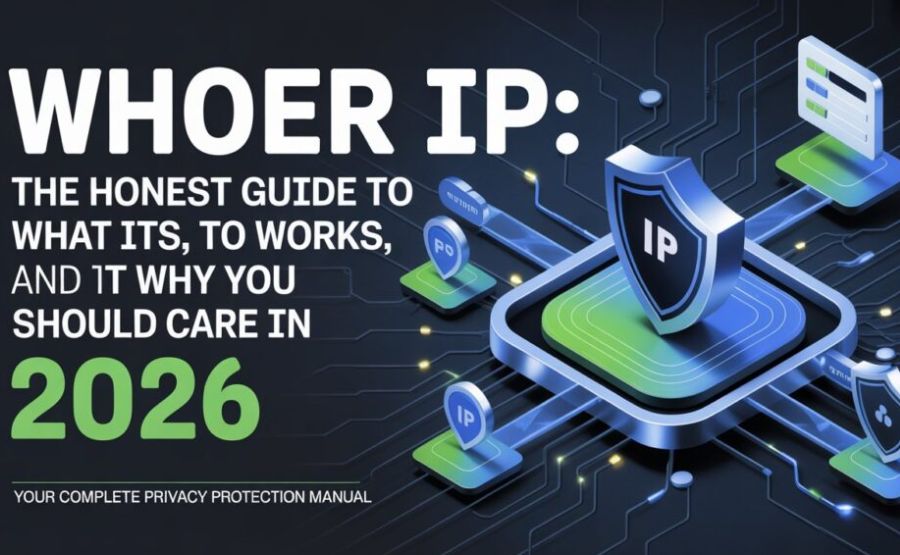
Whoer IP is the tool that pulls back the curtain on all of that. It shows you, in plain numbers and words, exactly what the internet sees when you show up.
Quick Facts
| Fact | Detail |
| Tool name | Whoer (Whoer.net) |
| Main job | Shows your IP address and how exposed you are online |
| Owner | WHOIX LTD, based in Cyprus |
| Account needed for basic check? | No |
| Cost | Free IP and anonymity checker, paid VPN plans on top |
| Core tests | IP lookup, DNS leak test, WebRTC leak test, port scanner, browser fingerprint, evercookie test |
| Devices it runs on | Windows, macOS, Linux, Android |
| VPN server countries | Around 20, mostly in Europe |
| Data logged by the checker | None of your browsing is stored, results show only on your screen |
| Mascot | A small cartoon character nicknamed Mr. Whoer |
What Whoer Actually Is, In Plain Words
Whoer is a website that looks at your connection and tells you the truth about it. No sugar coating, no guessing.
The second you land on the page, it grabs your IP address. It also grabs your country, your city, your internet provider, and a pile of smaller technical details most people never think about.
Then it tells you something more useful than just numbers. It tells you whether all of that information is actually hiding you, or quietly giving you away.
See also “Nearpod Join: The Five-Letter Code That Opens an Entire Lesson“
Where the Idea Came From
A company called WHOIX LTD sits behind Whoer. They’re registered out of Cyprus, which keeps them outside a few of the bigger international data-sharing agreements that worry privacy fans.
Information about the founders themselves stays pretty quiet. Whoer isn’t a flashy startup with a big launch story splashed across tech blogs.
It grew the slow way, mostly through word of mouth among people who already cared about staying hidden online. Proxy users, VPN testers, and people running multiple accounts on the same browser found it first, and the word spread from there.

What Happens the Second You Open the Page
You don’t click anything special. You just land on Whoer.net and the scan starts on its own.
Within a few seconds, your IP address shows up at the top, big and impossible to miss. Right next to it sits your city, your region, and your country, pulled from that IP.
Below that sits your internet provider’s name. If you’re connected through a VPN or proxy, the page usually flags that too, right there in plain sight.
Scroll down a little further and a longer list appears. Your browser type, your operating system, your screen size, your language setting, and your time zone all line up one after another.
The Hidden Tests Tucked Inside Whoer
The homepage is really just the surface. A handful of smaller tools sit underneath it, and each one checks something different.
The DNS leak test checks whether your DNS requests are quietly traveling outside your VPN tunnel. If they are, your real location can slip out the back door even while your IP address looks perfectly hidden up front.
The WebRTC leak test checks something sneakier. WebRTC is built into most browsers for things like video calls, but it can expose your actual local IP address even while a VPN is running.
The port scanner checks which doors on your device are sitting open to the outside world. Open ports can be an invitation for trouble if nobody’s watching them.
The evercookie test checks something most people have never even heard of. Evercookies are stubborn little tracking files that hide in multiple corners of your browser at once, so deleting normal cookies doesn’t fully erase them.
Each of these tests runs with one click of a “Go” button, and each one hands back a clear pass-or-fail style result.
Understanding Your Anonymity Score
A lot of people expect one simple number at the end, like a test grade. Whoer doesn’t always work that way.
Instead, it leans on a handful of separate signals working together. If your IP looks like a data center instead of a regular home connection, that’s one flag. If your time zone doesn’t match your IP’s country, that’s another.
Stack enough of those small mismatches together, and your overall anonymity starts looking shaky, even if no single piece of data fully exposes you. Stack up a clean, matching set of signals instead, and you look like any other normal visitor.
A low score doesn’t always mean disaster. Sometimes it just means a website might treat you with a little more suspicion than usual.
Why Your Real IP Still Slips Out, Even With a VPN
This part trips up a lot of people. They turn on a VPN, assume they’re fully invisible, and stop thinking about it.
But a VPN only hides one piece of the puzzle. WebRTC, as we mentioned, can punch a small hole right through it without any warning popping up.
DNS leaks work the same sneaky way. Your device might send DNS lookups straight to your normal internet provider instead of routing them through the VPN, even while the VPN looks fully connected.
Mismatched time zones and browser languages add another crack. If your IP says Germany but your system clock says something completely different, that gap is exactly the kind of thing tracking systems are built to notice.
Whoer’s Own VPN: Is It Actually Any Good?
Whoer doesn’t just point out problems. The same company also sells its own VPN, simply called Whoer VPN.
It covers the basics well enough. Strong AES 256-bit encryption, a no-logs promise, and the ability to connect up to five devices on one account.
There’s also a neat trick called “Hide VPN,” which disguises your VPN traffic so it looks like normal everyday browsing instead of an obvious VPN connection. That’s genuinely useful in places where VPN use gets noticed or blocked.
The downside is speed. Several independent reviewers have clocked it as noticeably slower than bigger competitors, which matters if you’re streaming or downloading anything large. There’s also no proper iOS app yet, only an Android version still labeled as a test build.
Free Checker, Paid Extras
Checking your own IP and running the basic leak tests costs nothing at all. No signup, no email, no credit card.
The moment you want the full VPN, the encrypted servers, and features like Hide VPN, a subscription kicks in. Pricing tends to land somewhere around four to ten dollars a month, cheaper the longer you commit upfront.
A thirty-day money-back guarantee usually comes attached, though a few reviewers have noted that getting an actual refund processed isn’t always as instant as the promise suggests.
Who Actually Reaches for This Tool
Plenty of regular people use Whoer just out of simple curiosity. They want to know what city their internet provider thinks they’re sitting in, and that’s the whole story.
A bigger crowd uses it for something more deliberate. People running antidetect browsers, managing several online accounts at once, or testing whether a fresh proxy is actually working, treat Whoer like a daily checkup tool.
Marketers and ad-account managers lean on it too, since a single fingerprint slip-up can get a whole batch of accounts flagged together. Security-minded travelers use it before connecting to hotel or airport Wi-Fi, just to see what they’re walking into.
How It Stacks Up Against Similar Tools
Whoer isn’t the only checker out there. BrowserLeaks digs even deeper into fingerprint details for people who want every last technical layer exposed.
AmIUnique takes a different angle, comparing your browser’s fingerprint against a massive public database to see how rare or common your setup actually looks. PixelScan and BrowserScan lean toward catching automation tools and bots specifically.
Most experienced users don’t pick just one. They run two or three of these side by side, since each tool tends to catch a slightly different blind spot the others miss.
Simple Steps to Clean Up What Whoer Shows You
Spotting a problem is only half the job. Fixing it is the part that actually matters.
Turn off WebRTC in your browser settings, or add a dedicated extension built to block it. That single step closes one of the most common leaks people run into.
Switch your DNS settings to a secure provider, or turn on DNS-over-HTTPS if your browser supports it. This keeps your lookups traveling safely through your VPN tunnel instead of slipping past it.
Match your system’s time zone, language, and keyboard layout to whatever country your VPN claims you’re in. A small mismatch here is exactly the kind of thing that quietly gives people away.
Run Whoer again after each change. Watching the same test flip from a warning to a clean result is honestly a pretty satisfying way to know your fix actually worked.
A Few Honest Limits Worth Knowing
Whoer is genuinely useful, but it isn’t magic, and it won’t make every problem disappear on its own.
It can show you a leak. It can’t patch that leak for you automatically, that part still falls on your own settings or an extra tool.
Bigger platforms like banks, social networks, and ad networks run far more advanced detection than a single free checker can fully replicate. Passing every test on Whoer doesn’t guarantee a platform somewhere else won’t still flag your account for other reasons entirely.
It’s also worth remembering that a few similarly named sites and copycats float around the wider web, some clearly built off templated, automated content rather than a real testing engine. Stick with the well-known main site, and treat random lookalikes with a healthy dose of skepticism.
Final Words
Most people never think twice about what their own connection is broadcasting. Whoer hands you a mirror and makes you actually look.
It won’t fix your privacy by itself, but it tells you exactly where the cracks are hiding. From there, the fix is usually small: flip a setting, switch a provider, double check a time zone.
Whether you’re just curious about your own IP, or you’re juggling a dozen accounts that all need to look clean and separate, this little diagnostic page earns its spot in the bookmarks bar. Run the check, read the results honestly, and patch whatever it finds.
That’s really the whole point of a tool like this. Know what’s showing, then quietly fix it.
FAQs
1. What does Whoer actually check?
It checks your IP address, location, internet provider, browser fingerprint, and common leaks like DNS and WebRTC.
2. Do I need to sign up to use Whoer?
No. The basic IP and anonymity check works instantly with no account needed.
3. Is Whoer completely free?
The checker tool is free. Whoer also sells a separate paid VPN if you want full protection on top of the diagnosis.
4. Does Whoer stores my personal data?
No, the company states that results display only on your own screen and aren’t saved on their servers.
5. Why does my IP still show my real location even with a VPN on?
WebRTC or a DNS leak is probably slipping past your VPN. Run the leak tests on Whoer to confirm which one.
6. What is a DNS leak, in simple terms?
It’s when your device quietly asks your old internet provider for website addresses instead of routing that request through your VPN.
7. What is WebRTC, and why does it matter here?
It’s a browser feature built for things like video calls, and it can accidentally reveal your real local IP address even while a VPN runs.
8. Does a low anonymity score mean I’ll get banned somewhere?
Not automatically. It means your setup looks inconsistent, which raises suspicion but doesn’t guarantee any specific consequence.
9. Can Whoer fix the leaks it finds?
No, it only reports the problem. Fixing it usually means adjusting browser settings or adding an extra tool yourself.
10. Is Whoer’s own VPN good?
It covers solid basics like encryption and a no-logs policy, but reviewers often note it runs slower than bigger competitors.
11. Does Whoer have a mobile app?
There’s an Android client, though it has been described as still being in test form, and there’s currently no proper iOS app.
12. What’s the difference between Whoer and BrowserLeaks?
Both check fingerprints and leaks, but BrowserLeaks tends to dig into even finer technical detail for advanced users.
13. Why do experienced users run more than one IP checker?
Different tools catch slightly different gaps, so combining a few gives a more complete picture than relying on just one.
14. Who typically uses Whoer the most?
Everyday curious users, plus people managing multiple online accounts, VPN testers, and antidetect browser users.
15. Is it safe to trust every site that looks like Whoer?
Stick to the original, well-known site. Several lookalike pages exist online with templated content that isn’t always reliable.
Explore more, learn more, and think deeper with Theory Magazine.